User Experience is the value that you provide to your user when he is using your product.
“User Experience Design (UXD or UED) is the process of enhancing user satisfaction with a product by improving the usability, accessibility, and pleasure provided in the interaction with the product.” — Wikipedia
Developing a user experience to the level of customer satisfaction is not a single person or team’s responsibility, instead it is a company’s vision.
Why User Experience Matters?
“Design is not just what it looks like and feels like. Design is how it works.” — Steve Jobs.
Great user experience design not only highlights and promotes your product, it has become a key part of building and growing customer confidence.
A great product or compelling content without an appealing user experience may affect the ability of an organization to achieve its business goals.
Best Approach to User Experience Design
Good user experience design is always part of product development process.
You interact with your users to build the unique combination of structure, content and user experience that will accomplish required goals in efficient ways.
“The primary factor of your success lies in the fact that you keep your user in center of your design process.”
This approach allows you to create designs that are clean, simple, intuitive, flexible and engaging, and provide a WOW experience to your users and thus differentiate you from your competitors.
User Experience Design Process
User experience design process is an iterative method that helps you continuously improve and polish your designs.
In the process, you go through different stages repeatedly while evaluating your designs on each stage.
Each stage involves relevant stakeholders in your organization that take part in the process to make your products highly efficient and usable.
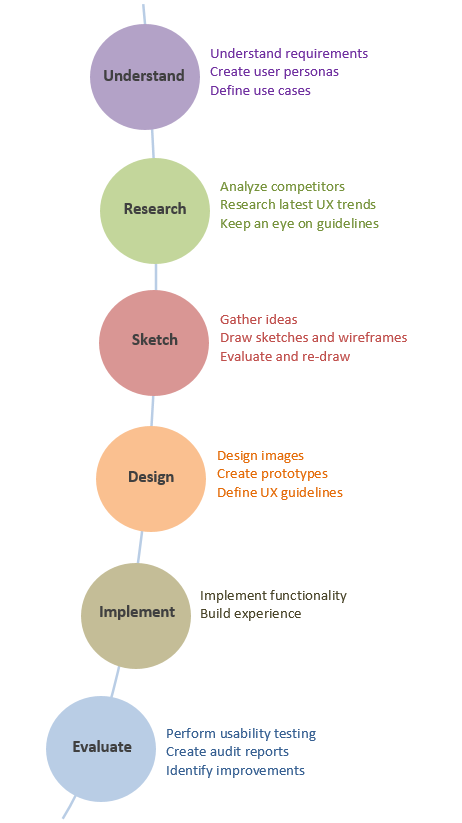
The design process involves following six stages.
Stages of UX Design Process
Below is the detail that highlights stakeholders involved, activities being done and outcomes produced during each stage of the process.
1. Understand
Design solves a problem. In order to provide a solution, you first need to understand the problem.
“Before beginning the design work, let your Design team understand the requirements clearly.”
To analyze requirements, follow industry standard user research methods including contextual and individual interviews, while observing the users in real environment.
Conduct brainstorming sessions with clients and show them your existing products (if any) to get their feedback.
Business Manager is the role in an organization that works directly with clients and gets requirements from them. Design team can work closely with Business Manager to understand users and their needs.
This knowledge about user and his environment helps you to provide a clear direction to your design.
“To be a great designer, you need to look a little deeper into how people think and act.” — Paul Boag
Stakeholders
Design Team
Business Manager
Product Manager
Activities
Meet, talk, observe and understand users in their environment
Analyze requirements to understand and clarify them
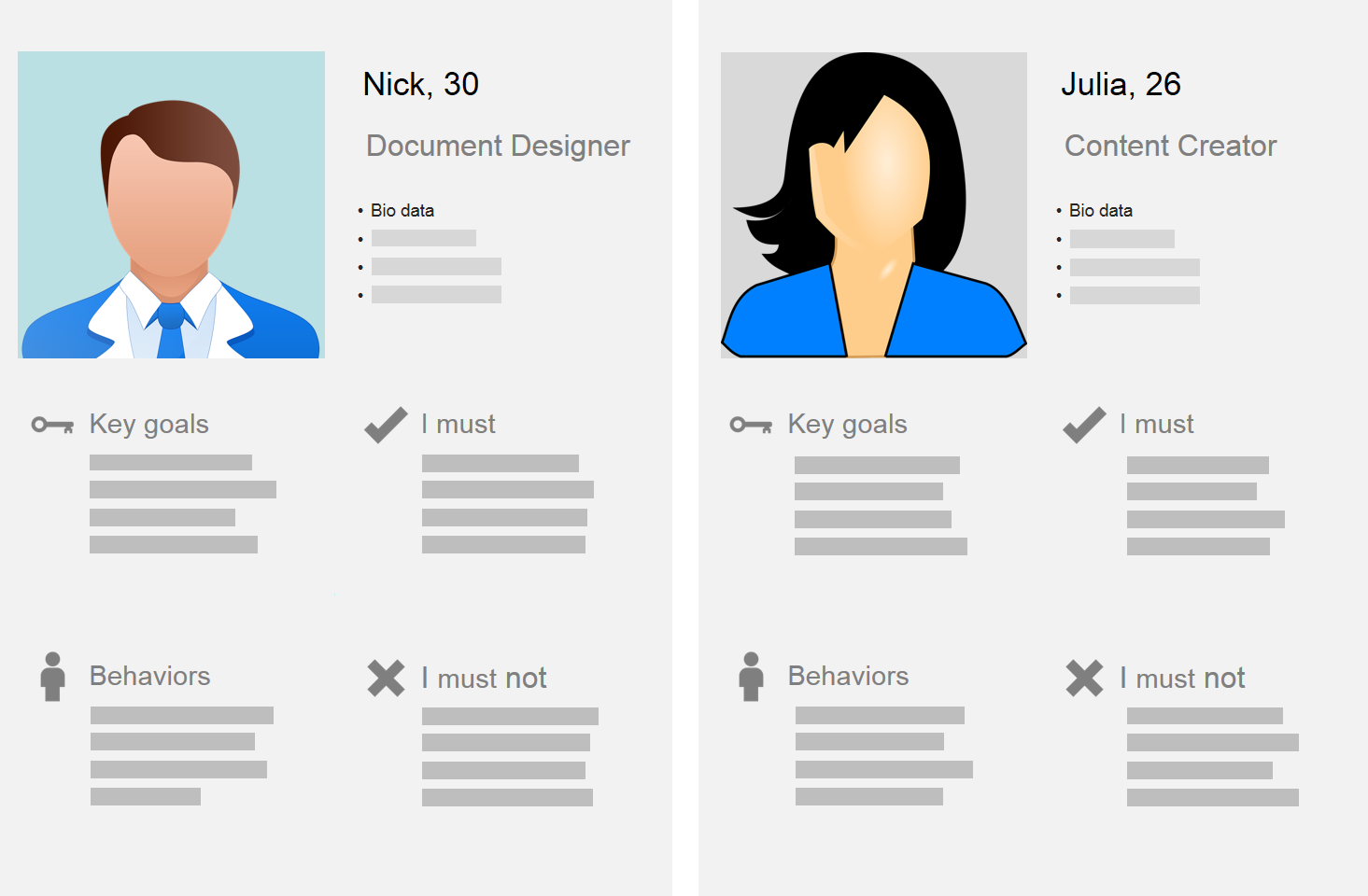
Define user personas and use-cases
Outcomes
User Personas
User Stories
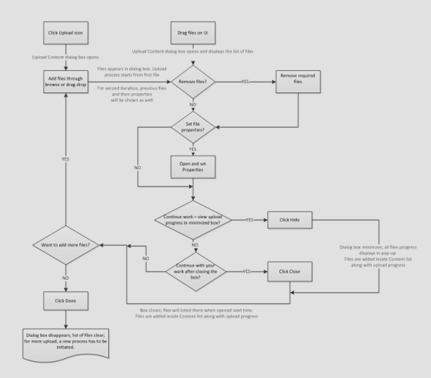
Use Cases, User Flows
Create User Personas
Define Use-cases and User Flow
2. Research
Research is the basic key step to design user experience.
“It took me a few seconds to draw it, but it took me 34 years to learn how to draw it in a few seconds” — Paula Scher
Design team does their research work to explore how the outer world is working on such features.
Sherif Amin, Product Designer called it as UX Competitive Analysis. He listed three purposes of this analysis:
“(i) Understand market competition
(ii) Learn about your domain
(iii) Get inspirations and ideas from your competitors”
Keep an eye on the latest UI trends, design principles and your existing user experience guidelines.
While doing research, start thinking about possible layouts and options to provide the desired experience.
Stakeholders
Design Team
Activities
Study of competitors’ approaches
Research on similar features in the world
Analysis of latest UI/UX trends, design principles and rules
Keep an eye on your own UX guidelines
Outcomes
A bunch of ideas and material on which you can build your actual design work
Collect Ideas Related to Required Feature
3. Sketch
This stage involves UI definition of required feature. Design team drives this activity which is based on the last two stages of the process.
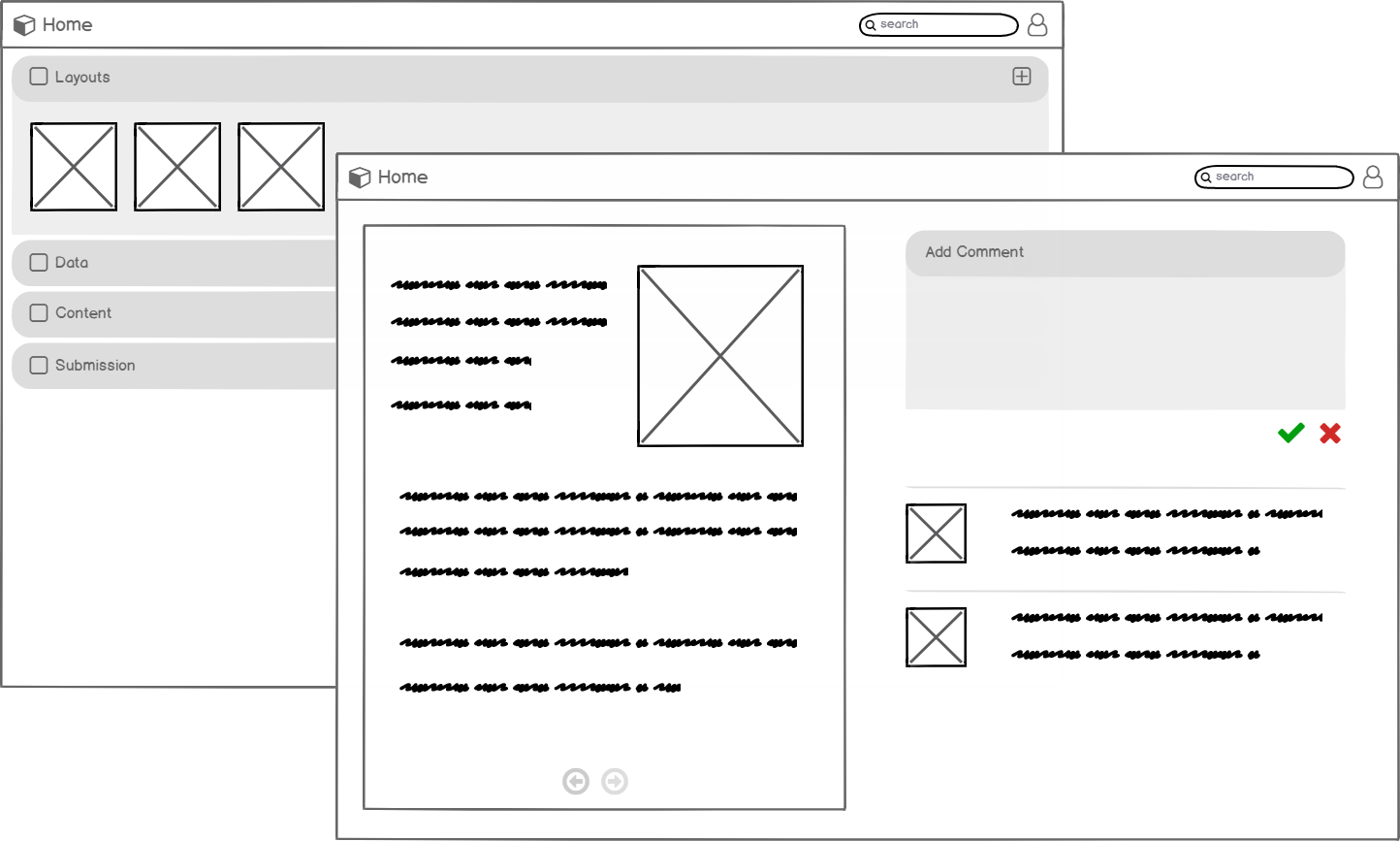
Draw paper sketches, white board flows and wireframes to share your ideas with stakeholders.
This stage itself is an iterative process.
“Designing is not something that you just create and start using it. Draw and draft and redraw and redraft, thus creating an unmatched experience.”
Testing and evaluation of wireframes is part of this stage. Design team builds initial mockups and share with stakeholders to get their input.
Throughout the process, it is important to keep your goal in mind — make a usable design to achieve end user satisfaction.
Stakeholders
Design Team
Product Managers
Technical Experts
Activities
Generate ideas and work on basic sketches
Brainstorming sessions with stakeholders to get their feedback from technical perspective
Re-draw sketches and re-test them with stakeholders
Outcomes
Sketches
Wireframes, Mockups
User flows
Create Wireframes
4. Design
Now you have finalized layout and flow of the required interface with you, the next step is to work on final graphics.
Turn the initial mockups and wireframes to great-looking images with theme and styles applied to them.
Preparing and sharing of design specifications (principles, guidelines, colors, typography, iconography) to Development team is also part of this stage.
Stakeholders
Design Team
Product Managers
Business Manager
Technical Experts
Activities
Design UI images
Define final theme, specs, and guidelines required for implementation
Design icons to display on screens
Sessions with stakeholders to get their feedback from business and technical perspective
Outcomes
Design images
Detailed design specs like colors, theme, styles, guidelines
Icons
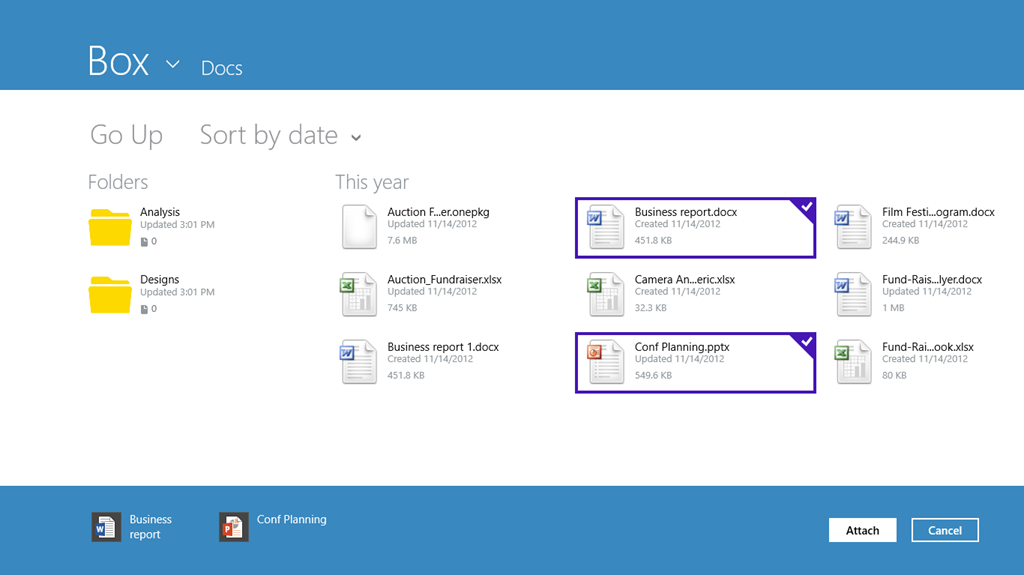
Design Images Followed by Theme and Style — Windows 8 Box app
5. Implement
Since technical people participate in early stages of the process, they can start implementation while Design phase is in progress.
Development team builds back end functionality first and connects it with UI when they get design artifacts.
It is better that Design team involves in this step to help development phase. While implementing, it is possible to raise the need of minor changes in design.
Stakeholders
Development team
Design Team
Activities
Implement back-end functionality and front interface
Outcomes
Developed UI with complete functionality and experience following the designed theme and style
Code and Implement Functionality
6. Evaluate
When product features are implemented, the end product is evaluated based on few factors:
Whether the system is usable?
Is it easy to use for end user?
Is it flexible and easy to change?
Does it provide the desired solution to user’s problems?
Does the product have the credibility that makes someone want to use it because of the experience it provides?
“Design team validates the product in terms of user flow and experience and identify areas where improvements are needed.”
Stakeholders
Design Team
Product Manager
Activities
Go through the flow and feel the experience
Perform a comparison of implementation and defined interface
Outcomes
User feedback
UI audit reports
Areas marked where improvement is required
Perform User Testing
After this last stage, the process will iterate itself and depending on the required changes, you may go to stage 2, 3 or 4.
The process goes on until the desired experience and customer satisfaction is achieved.
Conclusion
An amazing user experience can only be provided by following an iterative Design process.
All major stakeholders in your company contribute in the process by performing their tasks and duties. This is the only way you can retain your existing users and attract the new ones in this competitive world.
Thanks for reading. You can also read other related essays at uxdworld.com.
https://www.canva.com/learn/grid-design/ Design Elements & Principles 15 reasons why a grid based approach will improve your designs Mary Stribley In the graphic designers’ toolbox, grids are considered to be one of the fundamental staples. But why is this? Why are a few grid lines thrown over your canvas so important to the design project? Every designer will have their own reason for why grids are important to them, but in short, they help you to structure your design in a way that would otherwise be difficult, time consuming and troublesome. So, if you’re on the fence about delving into the world of grid based designs, let’s discuss 15 reasons why simply adding the use of a grid to your repertoire could significantly improve your designs. 01. Grids Keep Your Content Organized One of the chief uses for a grid is to keep your elements aligned and ordered, and your page design clean and neat. This is because grids encourage alignment, that...
https://www.canva.com/learn/what-is-the-golden-ratio/ Design Elements & Principles What is the golden ratio? What you need to know and how to use it Rebecca Gross What do the Pyramids of Giza and Da Vinci’s Mona Lisa have in common with Twitter and Pepsi? Quick answer? They are all designed using the Golden Ratio. The Golden Ratio is a mathematical ratio. It is commonly found in nature, and when used in design, it fosters organic and natural looking compositions that are aesthetically pleasing to the eye. But what exactly is the Golden Ratio and how can you use it to improve your own designs? What is the Golden Ratio? Putting it as simply as we can (eek!), the Golden Ratio (also known as the Golden Section, Golden Mean, Divine Proportion or Greek letter Phi) exists when a line is divided into two parts and the longer part (a) divided by the smaller part (b) is equal to the sum of (a) + (b) divided by (a), which both equal 1.618. ...



Comments
Post a Comment